
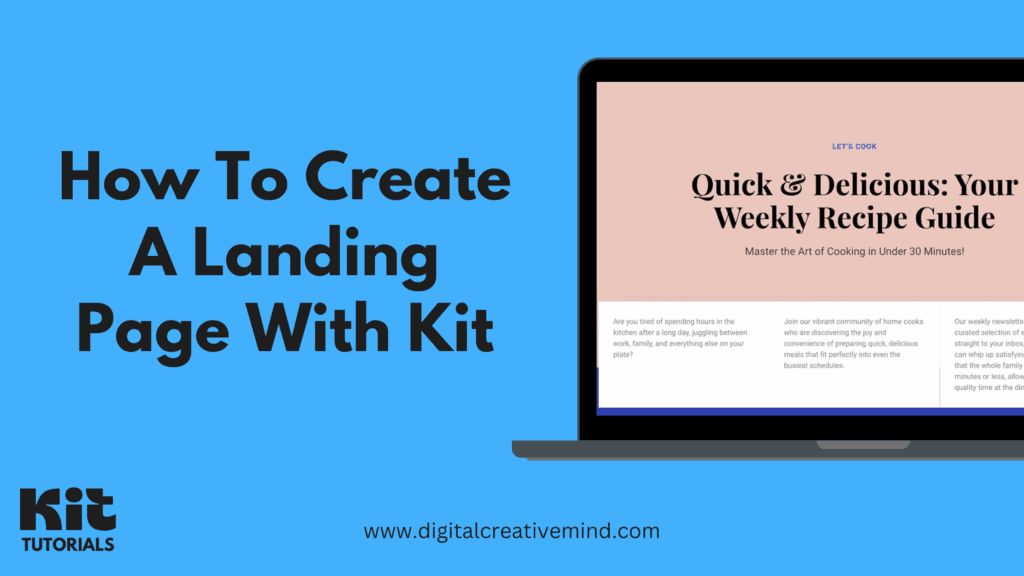
Do you know that having the right landing page for your audience can boost the growth of your email list and business? Therefore, if you are looking to create a landing page with Kit, this short article is for you.
You can achieve multiple goals by creating a landing page, like capturing emails of your audience, testing new ideas, and promoting your offers. It helps you to build a customized page for lead generation, sales, promotion, and more.
With Kit, you do not need to create a full website; instead, create a landing page to send your audience from other traffic sources. It makes email collection simple for you with multiple landing page templates from which to choose.
Whether you are an expert or a beginner, Kit is suitable for everyone with its customization features. Plus, it’s easy to create your landing page with Kit and see the real results like growing your email list and income hand-in-hand.
If you are serious about creating your landing page with Kit, it will take less than 5-10 minutes. Therefore, you should try Kit for FREE now!
Disclosure: If you make a purchase after clicking links in this article, I may make a referral income, at no cost to you.
Table of Contents
What Is Kit:
Kit is an email marketing platform for content creators that helps you build your email list, sell products, and automate your marketing. It enables creators to create an email-first operating system to grow their business with email marketing.
You can build a strong and reliable following with Kit by creating and growing your email list. This way, you can turn your audience into your subscribers by collecting their emails and adding them to your email list.
Why Kit is the best tool for content creators:
- Create your email-first operating system
- Reach new fans and capture emails
- Build a relationship-driven business
- Automate your business & marketing
- Earn more with different revenue streams
Kit allows you to build a relationship-driven business by developing personalized communication with your audience. In addition, it simplifies your work by automating your business and marketing with its automation features.
These powerful features of Kit make it the perfect marketing platform for creators to monetize their content. Plus, it helps you build different revenue streams – paid newsletter, selling digital products, sponsor network, and more.
Recommended Posts about Kit:
- Kit Review: Why It’s The ONLY Marketing Tool Creators NEED!
- Kit Pricing and Plans: How Much Does Kit Cost!
- 10 Surprising Benefits of Kit – To Empowering Creators!
How To Create A Landing Page With Kit:
With Kit’s Landing Page feature, you can set up lead magnets, capture emails, test ideas, or promote specific offers. It is a powerful tool for creators to effectively grow their email list and revenue without any hassle of building a full website.
Here’s a step-by-step process to create your Landing Page with Kit:
#1. Create your Kit Free Account:
You can start by claiming this Kit Free Trial offer that gives you exclusive access to all the Kit features for free, and no credit card is required.
The link will take you to the main Kit website, where you can start the free trial.
#2. Explore the Kit Dashboard:
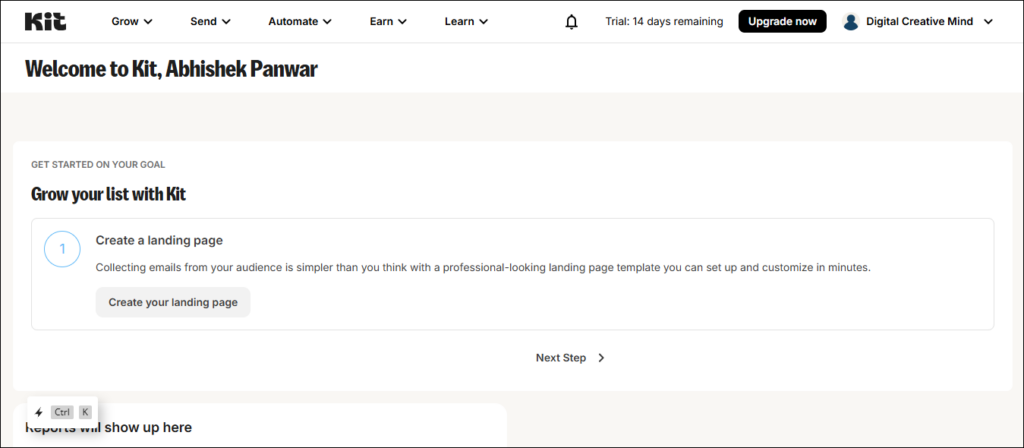
Here, you can explore the Kit Dashboard and check all the Kit features and tools for FREE (for the next 14 days).
Then, click on Grow > Landing Pages & Forms.
#3. Create your Landing Page:
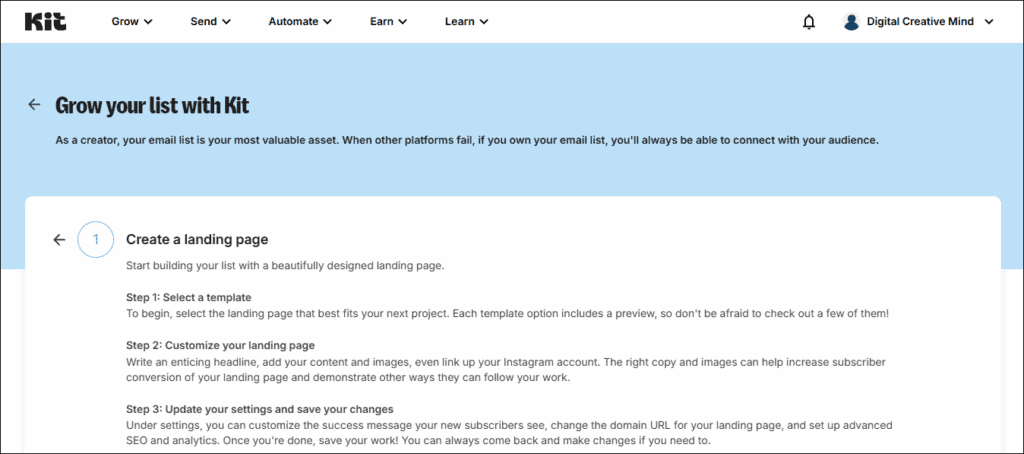
In the Landing Pages & Forms section, you get two options to create a Landing Page and Forms. You can choose:
- Forms: You can embed a form anywhere on your website, sales page, or landing page that you host yourself.
- Landing Page: You can capture email addresses with a landing page hosted by Kit or on your own domain.
Then, choose the Landing Page option.
#4. Choose your Landing Page Template:
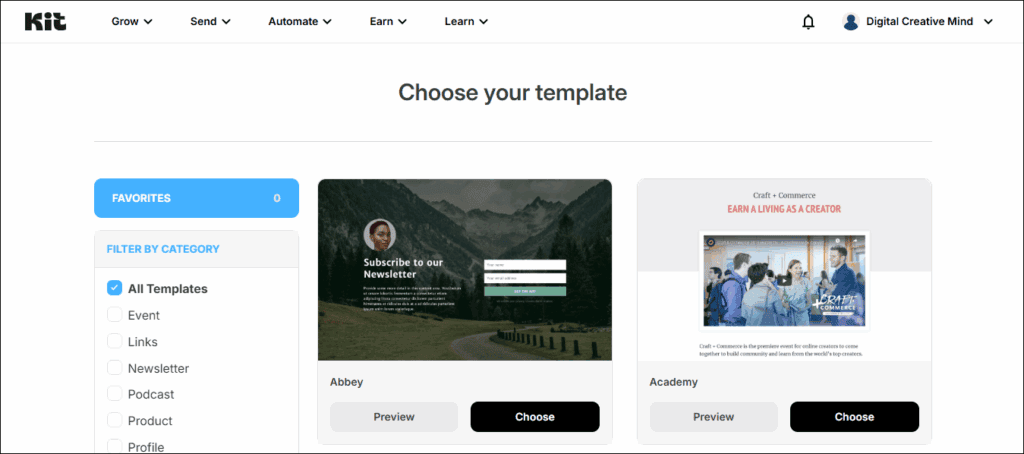
With Kit, you get a wide range of Landing Page Templates to choose your ideal option as per your requirements. It includes templates for:
- Event
- Newsletter
- Podcast
- Product
- eBook
- Video
- Webinar
- Waitlist
Once you have decided on your Landing Page template, click on Choose.
#5. Customize your Landing Page:
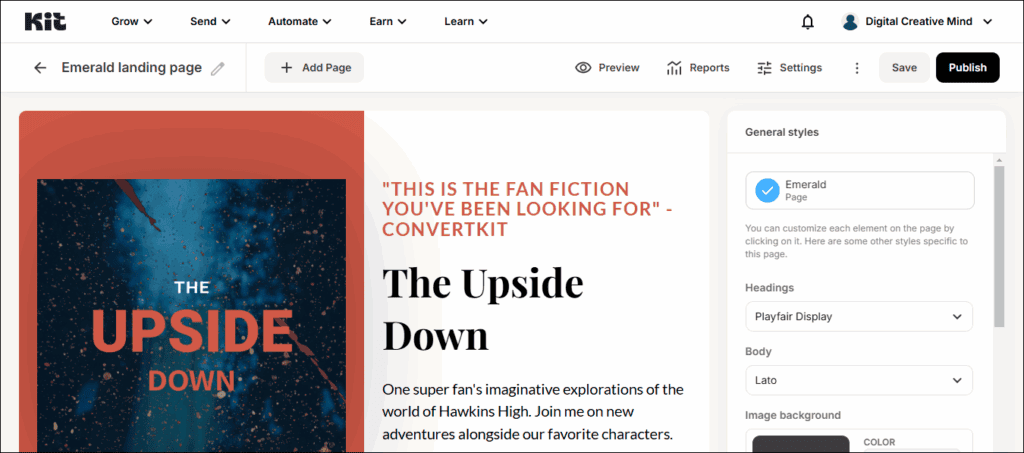
In the next section, you can customize your Landing Page and rebuild it as per your business with complete customization of headlines, text, and images.
#6. Update the Landing Page Settings & Publish:

Then, you can update the Landing Page settings to make your page more effective and useful for your business. It will help you to track your leads, SEO, and analytics on your Landing Page with the following settings:
- General – show a success message or redirect the person to an external page.
- Domain Name – customize the URL for the landing page.
- Incentive – send an incentive email with a URL or digital download.
- Advanced – update for the subscribers who have already subscribed to the form.
- SEO & Analytics – update the title and description with Google Analytics.
Finally, click on Save and hit the Publish button to make your Landing Page live!
Get Started with Kit Free Trial:
Kit offers a 14-day free trial for all its paid plans. You can start by claiming this Kit Free Trial offer, and it will take you to the main website, where you can start your free trial. Plus, you do not need a card to get started.
Whether you are a beginner or an experienced content creator, Kit provides the right email marketing and automation tools to help you grow your business and nurture long-term connections with your audience.
What you can do with this Kit Free Trial:
- Start building your email list
- Set up an email funnel for automation
- Create a series of automated emails
- Get paid with cross-promotions
- You can cancel the free trial anytime
You get an intuitive email editor with a Kit that makes it quick and easy to customize templates with your content and design. And, help you create great emails, connect with your audience, and get the best results.
Additionally, Kit makes it easy to organize your list by creating segments or tags based on what you know about each fan. Then you can send more relevant content to your audience. So, try all these features for free with this free trial offer.
FAQs About Kit:
Kit is one of the best marketing tools for content creators to grow their business through email marketing and monetize their content with newsletters. Check these answers to frequently asked questions about Kit to learn more about it.
Q1. How many emails can I send with Kit?
There are no sending limits on any of the Kit plans. You can send as many emails as you want on any of its plans. Plus, the Newsletter Plan allows you to build an email list of upto 10,000 subscribers.
Q2. What happens when my trial of the Creator or Creator Pro Plan ends?
Once your trial is over, you will need to add a credit card to continue using your Creator or Creator Pro Plan. You can add your billing information before your trial is over so your account doesn’t skip a beat.
Q3. Which Kit plan should I choose?
Kit has something for you, no matter what you are focusing on in your creator business – Newsletter Plan, Creator Plan, and Creator Pro Plan. Get more details on Kit Pricing and Plans here and learn which is best for you.
Q4. What happens when I outgrow my subscriber limit on my plan?
When you go over your plan’s limit, Kit will automatically upgrade it to the next subscriber tier. Your account would not skip a beat. You will continue gathering subscribers and sending emails the whole time.
Q5. Is it hard to switch to Kit if I already have an email list somewhere else?
Kit offers a free migration service for creators with over 5,000 subscribers on its paid plans. The Kit team handles everything from subscriber lists to automation, so you have a stress-free move.