
A slow website quietly costs you visitors, search rankings, and sales before you ever notice the damage.
Think about the last time you waited for a page to load. Most of us leave after a few seconds. Your visitors do the same.
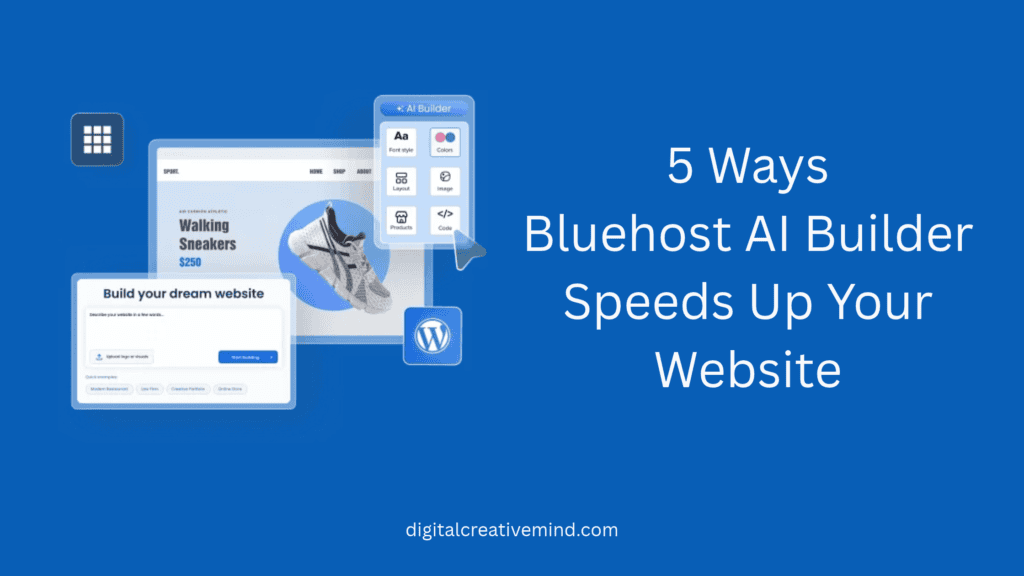
Bluehost AI Builder is designed to help you launch a fast, well-structured site in a fraction of the time traditional development takes. Here are five practical ways it helps your website load quickly and stay quick as it grows.
In this post, you will learn:
- Why lightweight layouts load faster
- How clean code helps browsers
- Smarter image choices that cut load time
- Why mobile-first design matters
- How hosting affects overall speed
Note: You can start with “$0, no credit card” or “paid plans starting from $20/month”.
Disclosure: If you make a purchase after clicking links in this article, I may make a referral income, at no cost to you.
Table of Contents
1. Starts You With Lightweight, Optimized Page Layouts
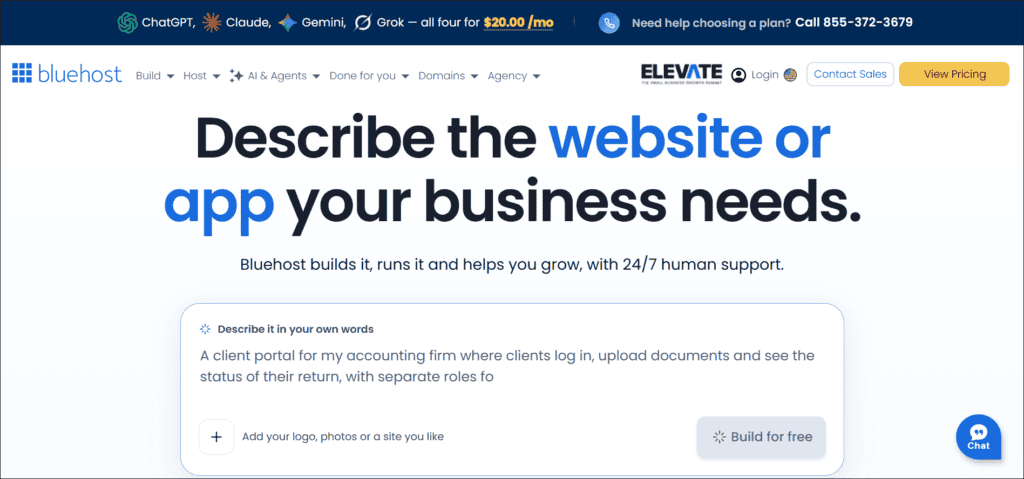
Speed starts at the foundation. If your layout is heavy, no tweak later will fully fix it.
Why clean, minimal templates load faster
Heavy, feature-stuffed themes come packed with sliders, animations, and scripts you may never use. Your browser still has to download all of it.
A clean, minimal template does the opposite. It loads only what the page actually needs.
Less to download means a faster first impression. It’s that simple.
How AI-generated layouts avoid bloat
Traditional themes try to serve everyone, so they include code for every possible use. An AI-generated layout is built around your business and content instead.
That usually means:
- Fewer unused page elements
- Simpler structure on every page
- No leftover features slowing you down
The result is a site that carries only what it needs.
Tips for choosing the right layout
A good layout matches how people use your site. Pick based on your content type:
- Blog: Prioritize readable text and fast scrolling
- Portfolio: Use fewer, well-sized visuals
- Business site: Keep key pages simple and clear
When the builder asks about your goals, answer honestly. Better input leads to a better, leaner layout.

2. Generates Clean Code That Browsers Can Process Quickly
You don’t need to be a developer to benefit from clean code. But it helps to know why it matters.
What clean HTML, CSS, and JavaScript mean for speed
Every page is built from three things:
- HTML builds the page structure
- CSS controls how it looks
- JavaScript adds interactive features
When these are tidy and minimal, browsers read and display your page faster. When they are messy or bloated, everything slows down.
How less code bloat improves Core Web Vitals
Google measures your site’s experience using Core Web Vitals. These look at how fast your main content appears, how quickly the page responds to clicks, and whether elements jump around while loading.
Leaner code gives browsers less work to do. That can help you score better across all three.
Better scores support a smoother experience for visitors. They can also support your search visibility.
How to check your code with Google PageSpeed Insights
Don’t just trust the claim. Test it yourself. It takes about a minute.
- Open Google PageSpeed Insights (it’s free)
- Paste in your website’s URL
- Run the test for mobile and desktop
- Review the Core Web Vitals results
- Note any suggestions it gives you
Save your first results. You’ll want them for comparison later.
3. Optimizes Images Automatically for Faster Page Loads
Images are often the heaviest part of any web page. One oversized photo can slow down an otherwise fast site.
Smart image handling is one of the easiest speed wins you can get.
Choosing the right format: WebP vs. JPEG vs. PNG
Not every image format works the same way. Here is a quick guide:
- WebP: Small files with great quality
- JPEG: Best for everyday photographs
- PNG: Ideal for logos and transparency
In most cases, WebP is a strong choice for web use. It usually keeps quality high while keeping file sizes low.
Why compressed, properly sized images matter
Imagine uploading a huge photo straight from your camera, then displaying it in a small box. The browser still downloads the full-size file.
That’s wasted time for your visitor.
Compressed, properly sized images fix this. They can cut load times dramatically without any visible drop in quality.
A few simple habits help:
- Resize images before you upload them
- Compress files without hurting quality
- Avoid using huge images as thumbnails
Writing descriptive alt text
Alt text is a short description of an image. It does two jobs at once.
First, it helps visitors who use screen readers understand your content. Second, it helps search engines understand what the image shows.
Good alt text is simple and specific:
- Describe what the image actually shows
- Keep it short and natural
- Skip keyword stuffing completely
For example, “Woman reviewing analytics on a laptop” works far better than “image1.jpg.”
4. Builds In Mobile-Responsive Design From the Start
Most people will visit your site from a phone. If it feels slow there, you lose them quickly.
Why mobile speed now drives search rankings
Google primarily looks at the mobile version of your site when deciding how to rank it. That means your phone experience matters more than ever.
A site that looks great on desktop but crawls on mobile can hurt your visibility.
How responsive layouts reduce unnecessary resources
A responsive layout adjusts itself to fit any screen size. Done well, it avoids loading things small screens don’t need.
That can mean:
- Content that fits any screen
- Smaller layouts for smaller devices
- Less clutter on mobile pages
Because Bluehost AI Builder creates responsive layouts from the start, you don’t need to retrofit mobile design later.
Testing mobile performance before you publish
Never assume your mobile site works perfectly. Check it first.
- Preview your site on your phone
- Tap every button and menu
- Run PageSpeed Insights on mobile
- Fix anything that feels slow
Five minutes of testing now can save you from lost visitors later.
5. Leverages Bluehost Hosting Infrastructure for Consistent Performance
Even a perfectly built site can feel slow on weak hosting. Your hosting is the engine behind your website.
How server quality and caching affect TTFB
Time to First Byte (TTFB) measures how long a browser waits before it receives the first piece of data from your server.
A faster response means your page starts loading sooner. Two things influence it most:
- Server quality: How quickly your server responds
- Caching: Storing ready-made copies of your pages
With caching, the server doesn’t rebuild your page for every single visitor. It serves a saved copy instead.
Using built-in caching and CDN options
A CDN, or content delivery network, stores copies of your site in multiple locations around the world. Visitors then load your pages from a location closer to them.
That helps if your audience is spread across different countries.
Check your Bluehost dashboard for available caching and CDN options, and turn them on. Features can vary by plan, so confirm what your plan includes.
Choosing the right plan as your traffic grows
A small site and a growing business have different needs. As your traffic climbs, your hosting should keep up.
Watch for these signs:
- Pages slowing down during busy periods
- Traffic growing month after month
- Adding more content and features
Upgrading your plan before problems appear is much easier than fixing a slow site after visitors leave.
How to Create a Website With Bluehost AI Builder
You can go from idea to live website in three simple steps. No coding or design background needed.
1. Sign in and Share your Idea:
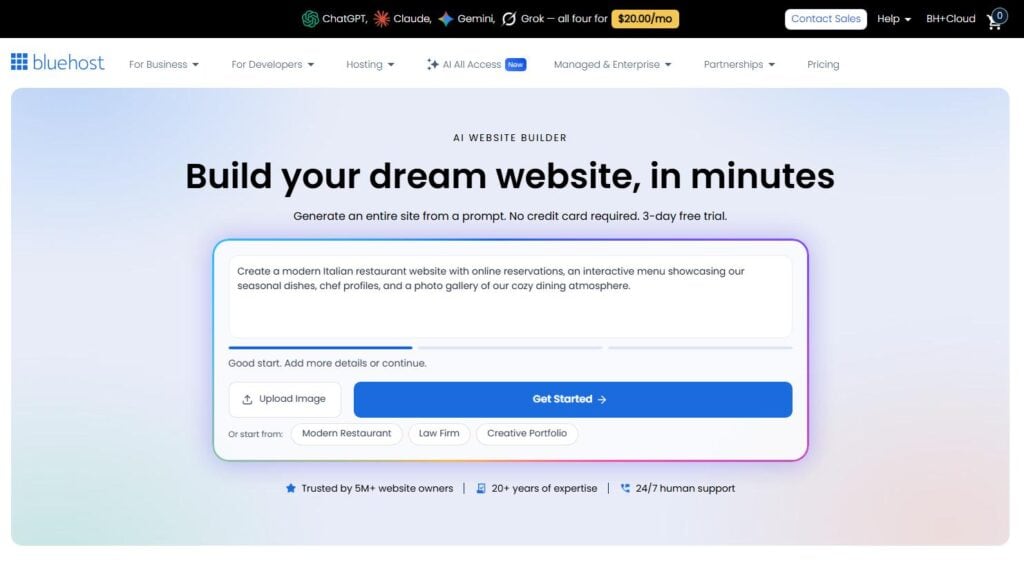
Start by signing in to your Bluehost account. Then tell the AI Builder what your website is about.
The more detail you give, the better your starting layout will be. Keep your answers clear and specific:
- Describe your business or project briefly
- Name your main goal for the site
- Mention who your audience is
This input shapes the lean layout you read about earlier.
2. Edit the Design:
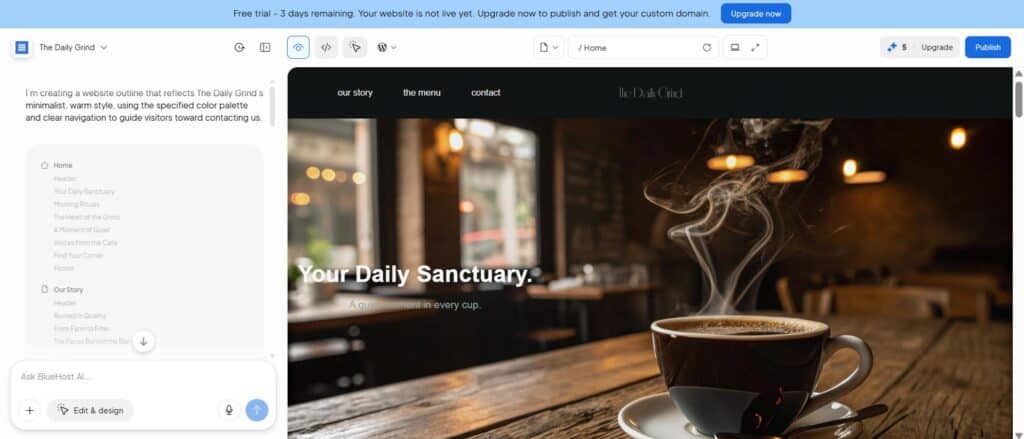
Once the AI generates your site, make it your own. This is where you fine-tune the look and feel.
Review each page and adjust what doesn’t fit. Keep speed in mind as you go:
- Swap in your own compressed images
- Rewrite text to sound like you
- Remove sections you don’t need
Remember, every extra element adds weight. Simple designs load faster.
3. Publish your Website:
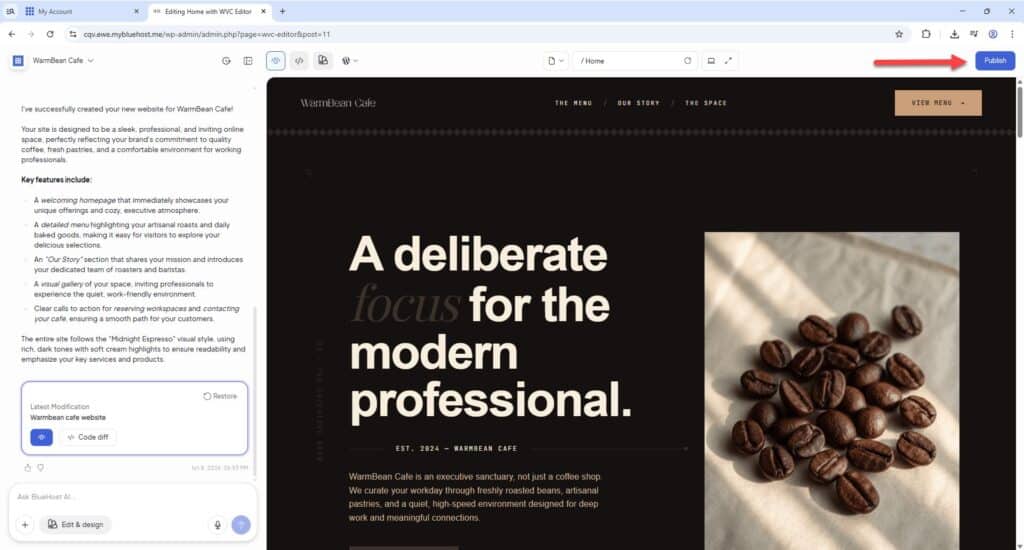
When you’re happy with your pages, publish your site and make it live.
Before you do, run a quick final check:
- Preview every page on mobile
- Check that links and buttons work
- Test your speed with PageSpeed Insights
That’s it. Your website is live, and you have a speed baseline to improve on.
Bonus Tips: Keep Your Site Fast After Launch
Launching fast is only half the job. Staying fast takes a few simple habits.
Limit third-party scripts and plugins
Every extra script adds weight. Chat tools, pop-ups, and tracking codes all add up.
Before adding anything new, ask yourself one question: does this truly help my visitors?
If not, leave it out.
Audit your page speed regularly
Check your performance on a schedule, not just once.
- Run Lighthouse or GTmetrix monthly
- Compare results against your baseline
- Fix small issues before they grow
Update content without adding weight
Fresh content is great for your audience. Just keep it lean.
- Compress every new image first
- Avoid stacking heavy page elements
- Keep new pages simple and focused

Common Mistakes That Slow Down AI-Built Websites
An AI builder gives you a strong start. But a few common habits can undo that quickly.
Overloading pages with heavy media
Autoplay videos and large background images look impressive. They also load slowly, especially on mobile.
Use them sparingly, or skip them entirely.
Installing too many widgets, fonts, or tracking tools
Each extra widget, custom font, or tracking tool makes your site work harder.
A good rule to follow:
- Stick to one or two fonts
- Keep only the tracking you use
- Remove widgets nobody interacts with
Ignoring performance checks after design changes
Every design change can affect speed. A new banner, a bigger image, or a fresh plugin might slow things down without you noticing.
Retest your site after each meaningful update. It only takes a minute.
Conclusion
Bluehost AI Builder speeds up your website through lightweight layouts, clean code, automated image optimization, mobile-first design, and reliable hosting infrastructure.
Speed is not a one-time setting, though.
Audit your site regularly, keep third-party additions to a minimum, and measure results with free tools. That way, your site keeps delivering a fast experience for visitors and search engines alike.
Ready to See the Difference?
Start building with Bluehost AI Builder today. Then run your new site through Google PageSpeed Insights.
Share your before-and-after load times in the comments below. We’d love to see how much faster your site gets.